
With the ever-growing digital world having a website is a must kind of a thing whether you’re running a business, promoting a cause, building a portfolio, or simply sharing your thoughts with the world. Learning how to create a website and knowing what are the best Tools for Website Designing can be both interesting and difficult at the same time. It is one of the few things you would want to get a grip around when starting to learn digital marketing. Knowing what platforms and tools to use while building your website is fundamental to creating a website. With the right approach and some effort, you’ll build an appealing website in no time. In this blog, we will go through everything you need to know while creating a website and explore some of the platforms and tools required for your task.
There are various steps to go through while designing a website:
Step 1: Define your purpose
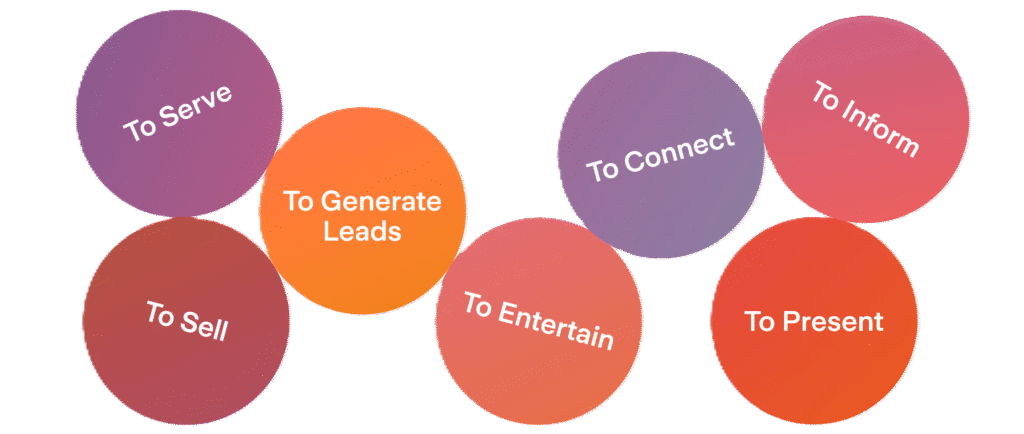
Before knowing about the platforms and tools for website designing, it is important to ask yourself what purpose or intent is behind your website.
- Is it for business
- A personal blog
- An online store
Having a clear purpose in your mind will lead you down a smooth path and help you in deciding the structure, content, and type of the site.
Step 2: Choose a domain name
A domain name is the address of your website ( eg, www.momsbakery.com). It is important to choose a domain wisely, as it will represent your site and the purpose you are creating a website. There are a few things to keep in mind while choosing a domain name:
- It should be relevant to the business or the topic
- Should be unique
- Easy to remember
- Short and simple
Things to keep in mind while choosing a domain name:
- Avoid signs and numbers
- Check if the domain is available on platforms like GoDaddy, Hostinger
Once you have decided on the domain name, buy it through a trusted domain registrar. A domain usually costs between ₹100 to ₹500 per year
Step 3: Select a web hosting service
Web hosting is like a house for your website; it is where your site is located, where data, images, and files are stored, and makes your website accessible on the internet.
Types of hosting:
- Shared Hosting (cheapest, beginner-friendly)
- VPS Hosting (more resources and control)
- Dedicated Hosting (for high-traffic websites)
- Cloud Hosting (scalable and reliable)
- Managed WordPress Hosting (optimized for WordPress users)
Some of the trusted hosting providers are:
- Go Daddy
- Hostinger
- Bluehost
- Cloudways
Most of the hosting providers provide a free domain for the first year

Step 4: Choose a Website Building Platform
A website-building platform and website designing software help you easily create a website without needing to code or have technical expertise. It provides a user-friendly experience with easy-to-use features like drag and drop and pre-designed templates so that anyone can design and launch a website of their own. Popular website-building platforms are:
- WordPress
- Wix
- Shopify
Step 5: Design your website
After setting up the basics, now comes the task of designing your website. It includes adding the essentials to your site, like:
- Home page
- About us page
- Product/ services page
- Contact page
- Blog
To design each of these pages for your website, you require some tools for website designing, like Elementor. It is a very useful and easy-to-use webpage design software, providing a wide variety of features to help you build a good website.
Tips for designing your site :
- Use quality images
- Include call-to-action buttons
- Use a consistent font
- Use colours according to the theme
- Make it mobile responsive
Step 6: Add important plugins
Plugins are very essential in creating a website as they give shape to your site and help you design it through various features they accommodate. There are several plugins and webpage designing tools we can use, but there are some that are easy to use and much more efficient than the rest, like-
- Astra
Astra is a widely used theme in WordPress, which is popular for its speed, lightweight design, and customization options. It is built for speed and performance, which aims to minimize loading times and improve user experience. Astra provides a wide range of customization options and including website design software.
- Elementor
Elementor is a popular and free drag-and-drop page builder plugin and a webpage design software for WordPress. Elementor provides an interface where you can just drag and drop elements (like text, images, buttons, etc.), which makes building and designing your page layout easy and simple. This webpage design software/ plugin requires no expertise in HTML or CSS for creating a professional-looking website.
- Disable Gutenberg
This plugin restores the original WordPress editor and the ‘edit post’ screen. Disable Gutenberg makes it possible to keep using plugins and theme functions that extend the Classic Editor.
For an e-commerce website, we can use plugins like WooCommerce and Shopify, and if you want to design a template-based website, we can use Royal Addons.
Step 7: Optimize for SEO
Search Engine Optimization(SEO) is the process by which your website ranks higher on Google and other search engines. For good SEO, use keywords naturally in your content while avoiding over-stuffing keywords. Always create a unique title and meta description for your content on your website. And while creating a website, ensure that your website is mobile-friendly.
Step 8: First test and then launch your website
Before making your website live, test it thoroughly, check for broken links, test your website on multiple devices and browsers, ensure that the forms and buttons work properly, and review spelling and grammar. After checking each and every function in your site, publish it.
Step 9: Maintain and update your website
Building and launching your website is just the beginning. To keep it effective and running, update your content regularly, keep plugins and themes up to date, keep monitoring site speed and performance, perform a backup of your site regularly, and always respond to comments and inquiries as soon as possible as it builds clients’ interest and fosters customer loyalty.
Creating a website may seem difficult and time-consuming at times, but when broken down into clear steps, with some time invested in practicing it and knowing the right tools for website designing it becomes easy and manageable. Whether you are a beginner or someone with tech knowledge, modern tools have made building a website accessible to all. By following the right steps and procedure, you’ll build a website that not only looks great but also serves its purpose effectively.